# Notepad++ 執行Python
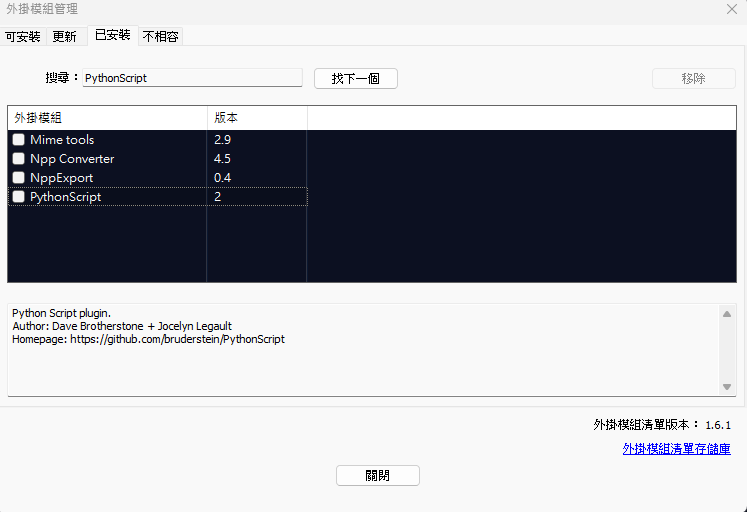
**因為習慣使用Notepad++編輯,可以安裝Notepad的PythonScript外掛,方便執行Python**
##### **安裝外掛**
**Notepad++外掛模組管理搜尋PythonScript並安裝**
[](https://note.homesitetw.com/uploads/images/gallery/2025-10/k8ximage.png)
##### **新增執行快捷鍵**
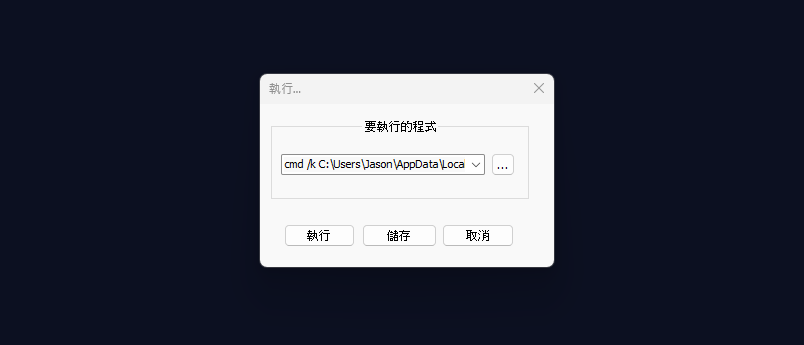
**F5或是上方執行選項輸入以下指令**
**路徑替換自己的Python執行位置並儲存**
```
cmd /k C:\Users\Jason\AppData\Local\Programs\Python\Python312\python.exe "$(FULL_CURRENT_PATH)" & PAUSE & EXIT
```
[](https://note.homesitetw.com/uploads/images/gallery/2025-10/EzRimage.png)
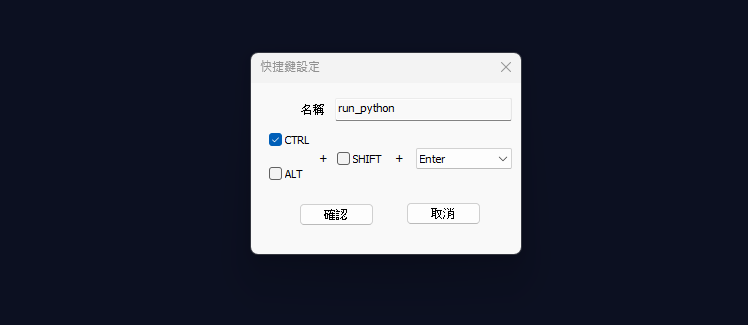
**設定快捷鍵和名稱**
[](https://note.homesitetw.com/uploads/images/gallery/2025-10/JZximage.png)
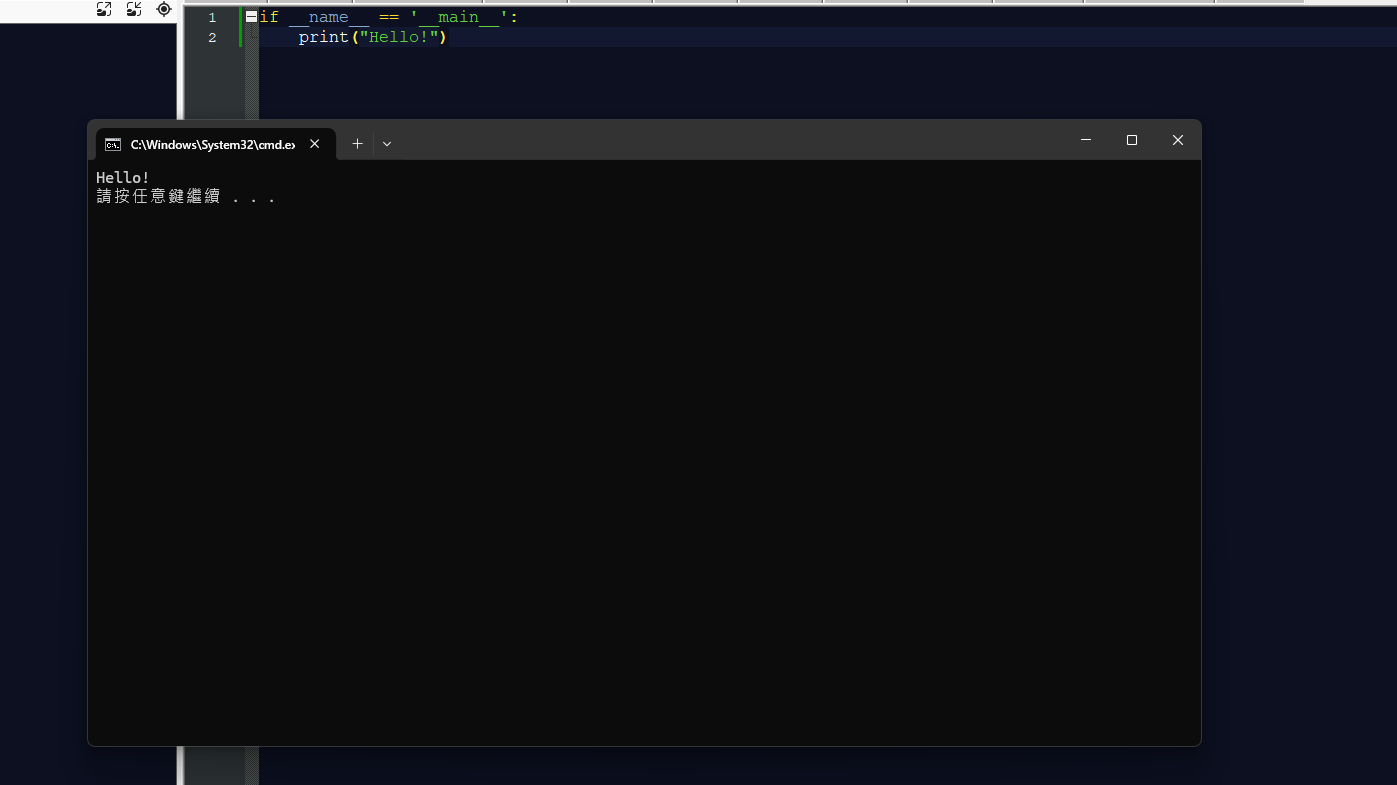
**按下Ctrl+Enter就會執行當前Python檔案**
[](https://note.homesitetw.com/uploads/images/gallery/2025-10/CZCimage.png)
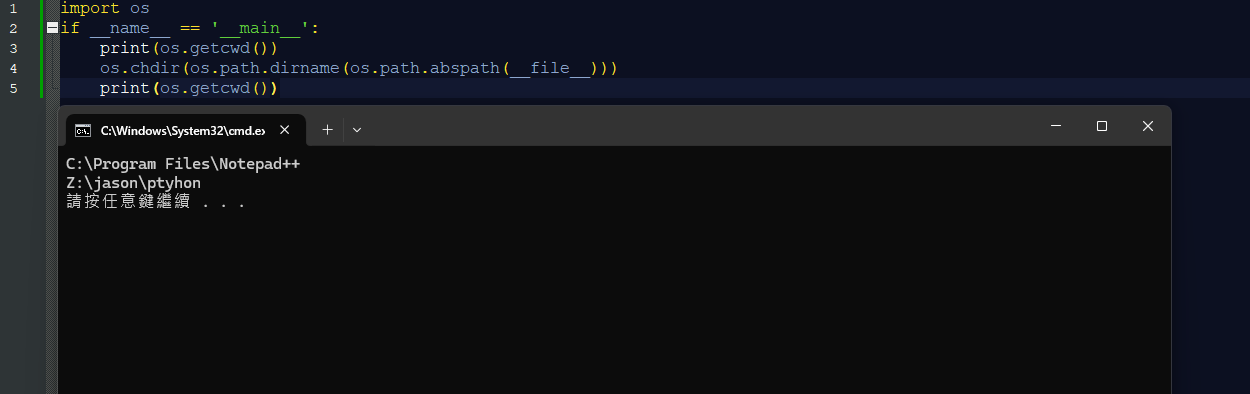
**注意:用Notepad++ 執行Python的話,當前工作目錄會改成Notepad的路徑,若腳本有用相對目錄的話會造成錯誤**
**可以在Python加入強制切換腳本所在工作目錄**
```
os.chdir(os.path.dirname(os.path.abspath(__file__)))
```
[](https://note.homesitetw.com/uploads/images/gallery/2025-10/ShNimage.png)