# Homeassistant 安裝 Xiaomi Miot

<span style="color: rgb(0, 0, 0);">**Xiaomi Miot 是一個用於 Home Assistant (HA) 的熱門第三方整合套件，能透過小米的 MIoT-Spec 協定自動將大多數小米米家智慧設備（Wi-Fi、藍牙、Zigbee 裝置）接入系統中**</span>

---

#### <span style="color: rgb(0, 0, 0);">**安裝HACS**</span>

<p class="callout info"><span style="color: rgb(0, 0, 0);">**Home Assistant 2026.11後會整合HACS**</span></p>

<span style="color: rgb(0, 0, 0);">**先在HA內安裝HACS，進入[HACS官網](https://www.hacs.xyz/docs/use/download/download/)，下方有連結加入HA 儲存庫中**</span>

```
https://github.com/hacs/addons
```

[![image.png](https://note.homesitetw.com/uploads/images/gallery/2026-10/scaled-1680-/EI3image.png)](https://note.homesitetw.com/uploads/images/gallery/2026-10/EI3image.png)
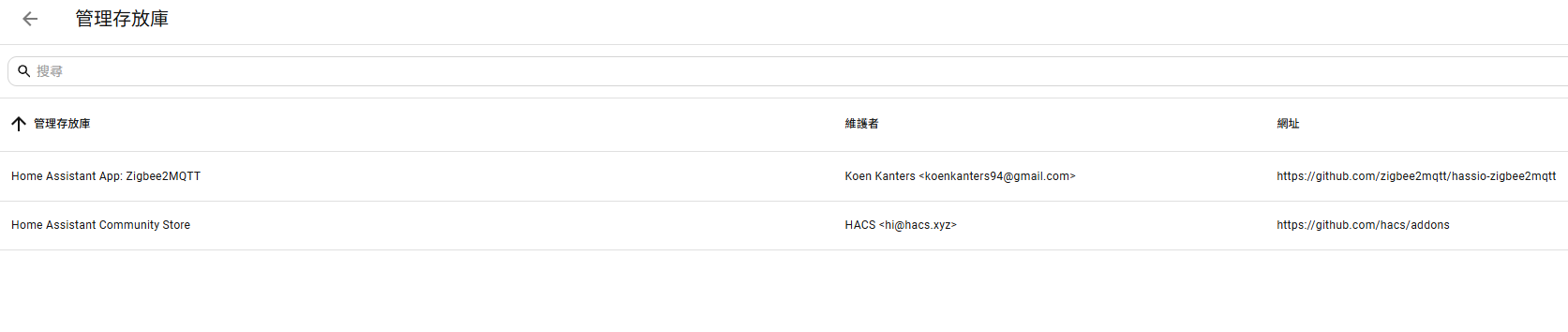
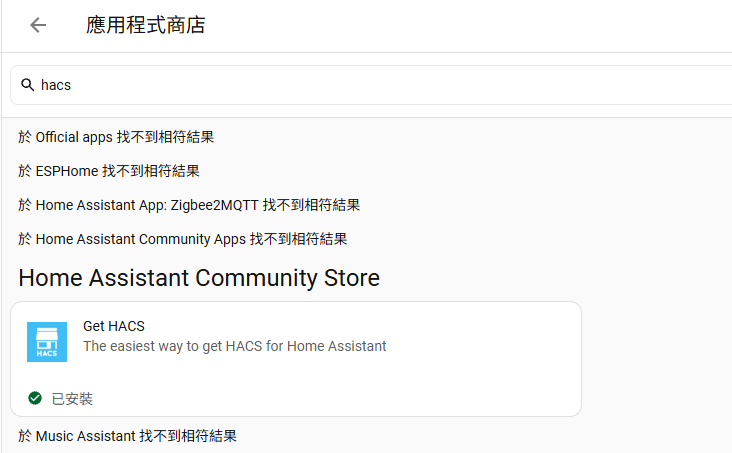
<span style="color: rgb(0, 0, 0);">**搜尋HACS安裝**</span>

[![image.png](https://note.homesitetw.com/uploads/images/gallery/2026-10/scaled-1680-/7hoimage.png)](https://note.homesitetw.com/uploads/images/gallery/2026-10/7hoimage.png)

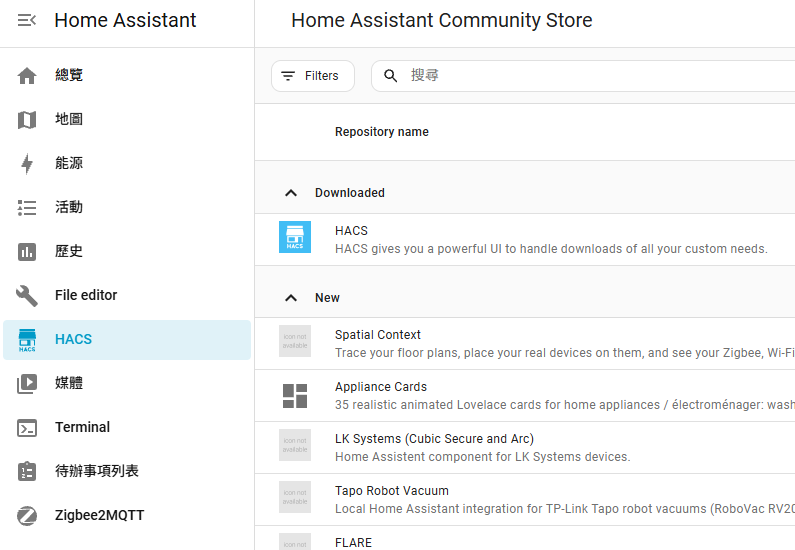
<span style="color: rgb(0, 0, 0);">**重啟HA後左側會顯示HACS側欄就完成安裝**</span>

[![image.png](https://note.homesitetw.com/uploads/images/gallery/2026-10/scaled-1680-/meMimage.png)](https://note.homesitetw.com/uploads/images/gallery/2026-10/meMimage.png)

#### <span style="color: rgb(0, 0, 0);">**安裝Xiaomi Miot**</span>

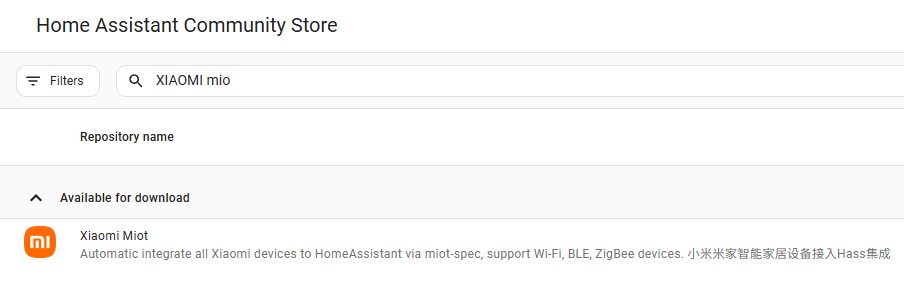
<span style="color: rgb(0, 0, 0);">**在HACS裡搜尋Xiaomi Miot安裝**</span>

[![image.png](https://note.homesitetw.com/uploads/images/gallery/2026-10/scaled-1680-/rQlimage.png)](https://note.homesitetw.com/uploads/images/gallery/2026-10/rQlimage.png)

<span style="color: rgb(0, 0, 0);">**若安裝有問題可以手動下載[hass-xiaomi-miot gitub](https://github.com/al-one/hass-xiaomi-miot)檔案解壓後上傳到`custom_components/xiaomi_miot`裡**</span>

<span style="color: #000000;">**重啟HA完成**</span>

#### <span style="color: rgb(0, 0, 0);">**設定Xiaomi Miot 加入實體**</span>

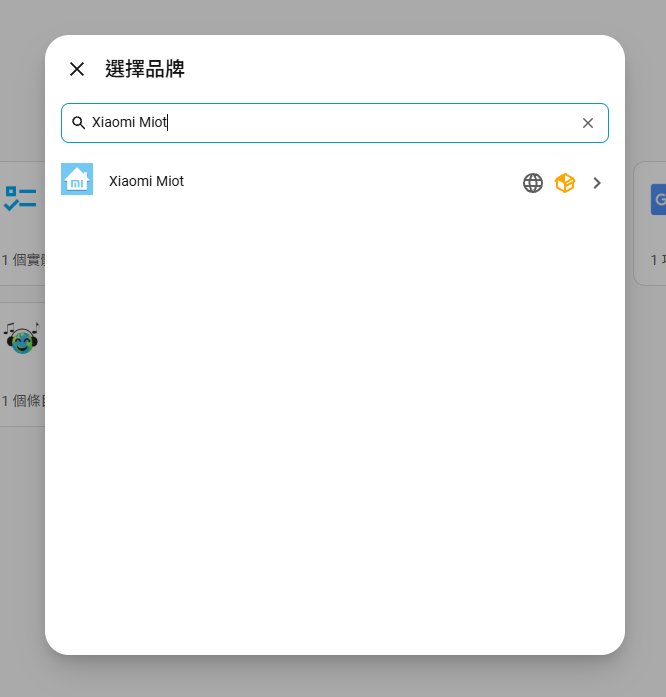
<span style="color: rgb(0, 0, 0);">**在裝置裡新增整合，選擇Xiaomi Miot**</span>

[![image.png](https://note.homesitetw.com/uploads/images/gallery/2026-10/scaled-1680-/T3mimage.png)](https://note.homesitetw.com/uploads/images/gallery/2026-10/T3mimage.png)

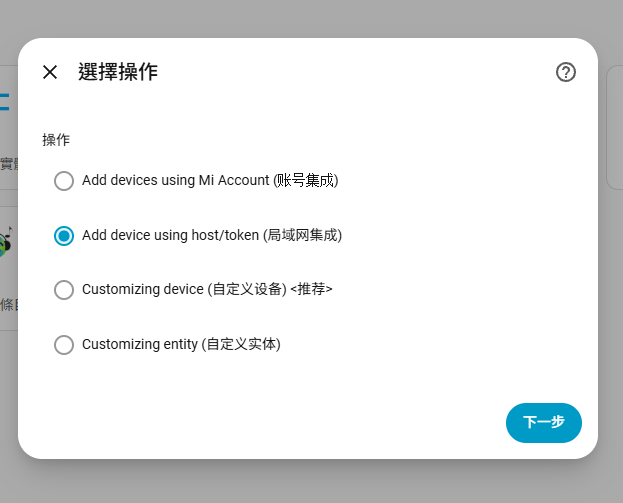
<span style="color: rgb(0, 0, 0);">**我是使用小米開關和風扇，都已連到WIFI，故選擇局域網集成方式加入**</span>

[![image.png](https://note.homesitetw.com/uploads/images/gallery/2026-10/scaled-1680-/qbTimage.png)](https://note.homesitetw.com/uploads/images/gallery/2026-10/qbTimage.png)

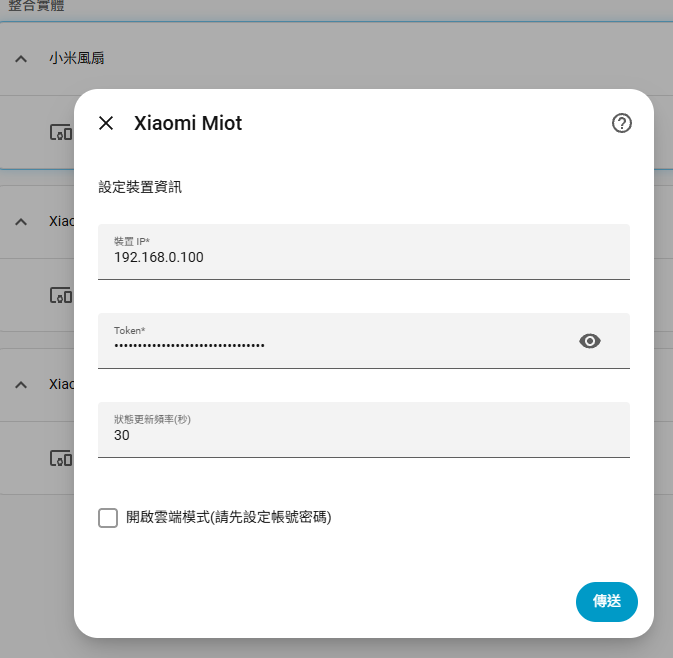
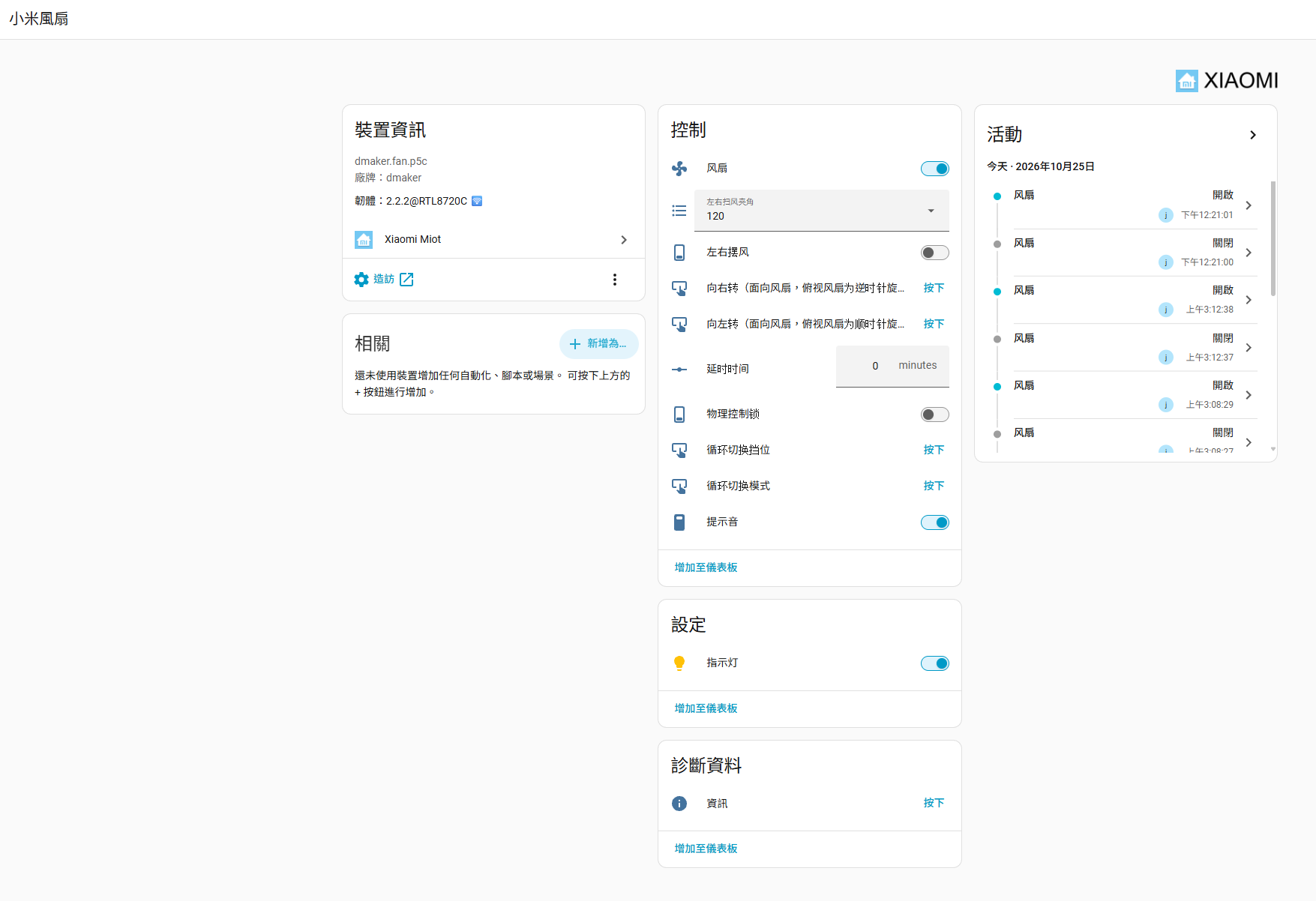
<span style="color: rgb(0, 0, 0);">**輸入小米設備的IP和token即可加入**</span>

[![image.png](https://note.homesitetw.com/uploads/images/gallery/2026-10/scaled-1680-/0olimage.png)](https://note.homesitetw.com/uploads/images/gallery/2026-10/0olimage.png)

[![image.png](https://note.homesitetw.com/uploads/images/gallery/2026-10/scaled-1680-/25limage.png)](https://note.homesitetw.com/uploads/images/gallery/2026-10/25limage.png)
#### <span style="color: rgb(0, 0, 0);">**獲取Token方式**</span>

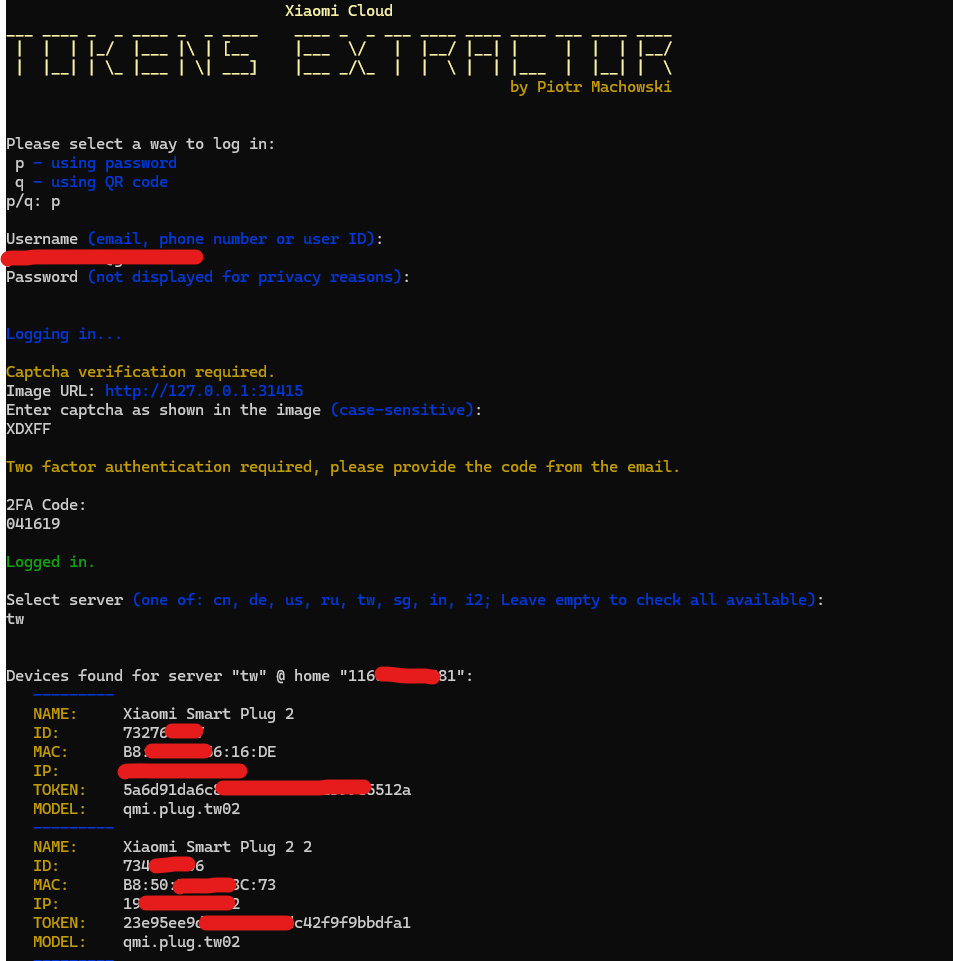
<span style="color: #000000;">**我使用[github上的Xiaomi-cloud-tokens-extractor工具](https://github.com/PiotrMachowski/Xiaomi-cloud-tokens-extractor)來獲取Token**</span>

<span style="color: #000000;">**小米裝置記得都要先加入米家APP**</span>

<span style="color: #000000;">**陸板或台版設備再自行選擇server地區**</span>

[![image.png](https://note.homesitetw.com/uploads/images/gallery/2026-10/scaled-1680-/nY2image.png)](https://note.homesitetw.com/uploads/images/gallery/2026-10/nY2image.png)