# Homeassistant 安裝Zigbee2MQTT

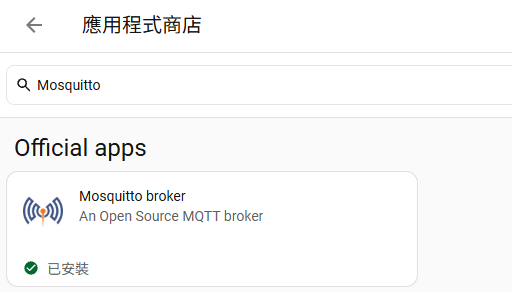
#### <span style="color: rgb(0, 0, 0);">**安裝 Mosquitto (MQTT Broker)**</span>

<span style="color: rgb(0, 0, 0);">**在應用程式商店安裝Mosquitto，啟動後確認沒問題**</span>

[![image.png](https://note.homesitetw.com/uploads/images/gallery/2026-10/scaled-1680-/8jAimage.png)](https://note.homesitetw.com/uploads/images/gallery/2026-10/8jAimage.png)

#### <span style="color: rgb(0, 0, 0);">**安裝 Zigbee2MQTT**</span>

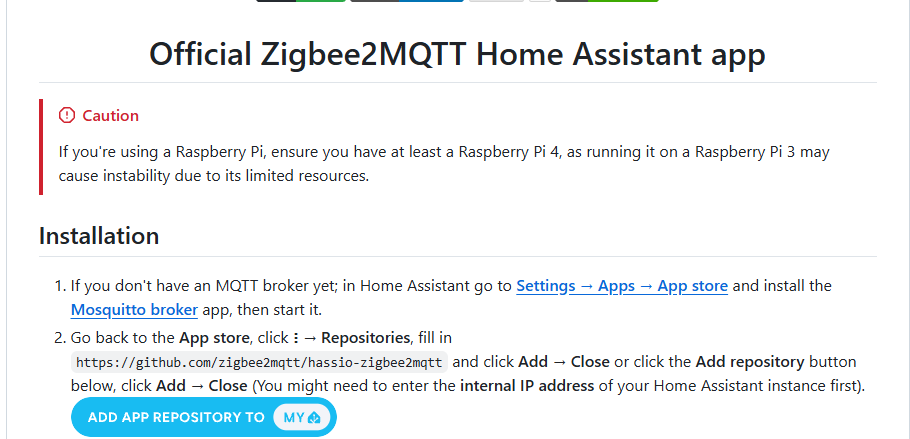
<span style="color: rgb(0, 0, 0);">**Zigbee2MQTT屬於第三方套件，先到[zigbee2mqtt套件頁面](https://github.com/zigbee2mqtt/hassio-zigbee2mqtt?ref=spacen.io)點選ADD APP REPOSITORY**</span>

#### <span style="color: rgb(0, 0, 0);">**[![image.png](https://note.homesitetw.com/uploads/images/gallery/2026-10/scaled-1680-/PZ8image.png)](https://note.homesitetw.com/uploads/images/gallery/2026-10/PZ8image.png)**</span>

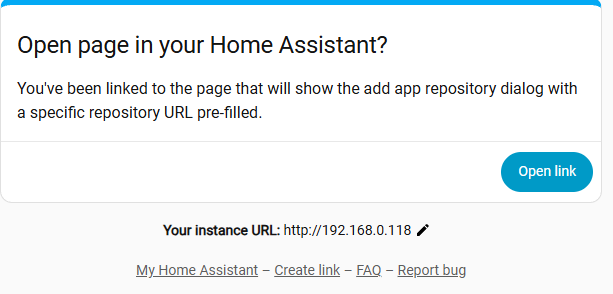
<span style="color: rgb(0, 0, 0);">**URL確認是本機HA的**</span>

[![image.png](https://note.homesitetw.com/uploads/images/gallery/2026-10/scaled-1680-/MFGimage.png)](https://note.homesitetw.com/uploads/images/gallery/2026-10/MFGimage.png)

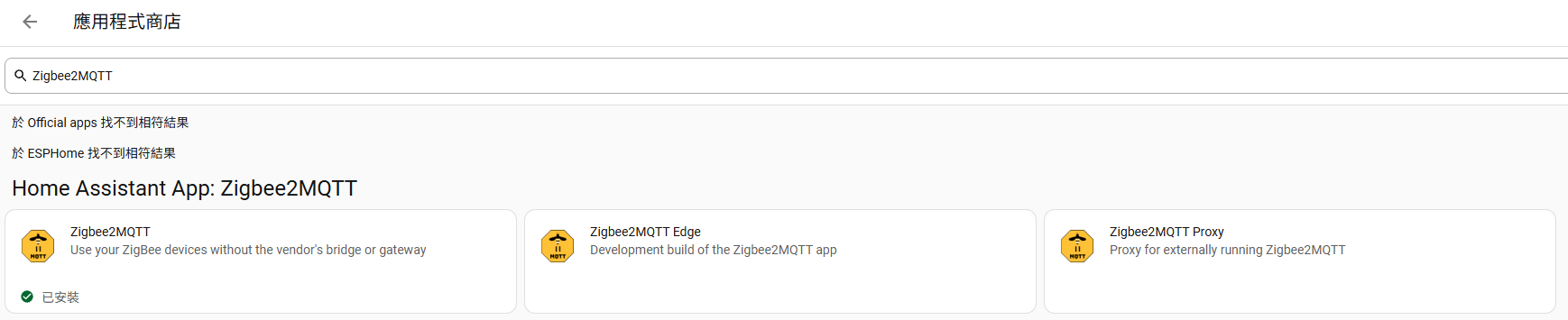
<span style="color: rgb(0, 0, 0);">**在應用程式商店安裝Zigbee2MQTT**</span>

[![image.png](https://note.homesitetw.com/uploads/images/gallery/2026-10/scaled-1680-/3I6image.png)](https://note.homesitetw.com/uploads/images/gallery/2026-10/3I6image.png)

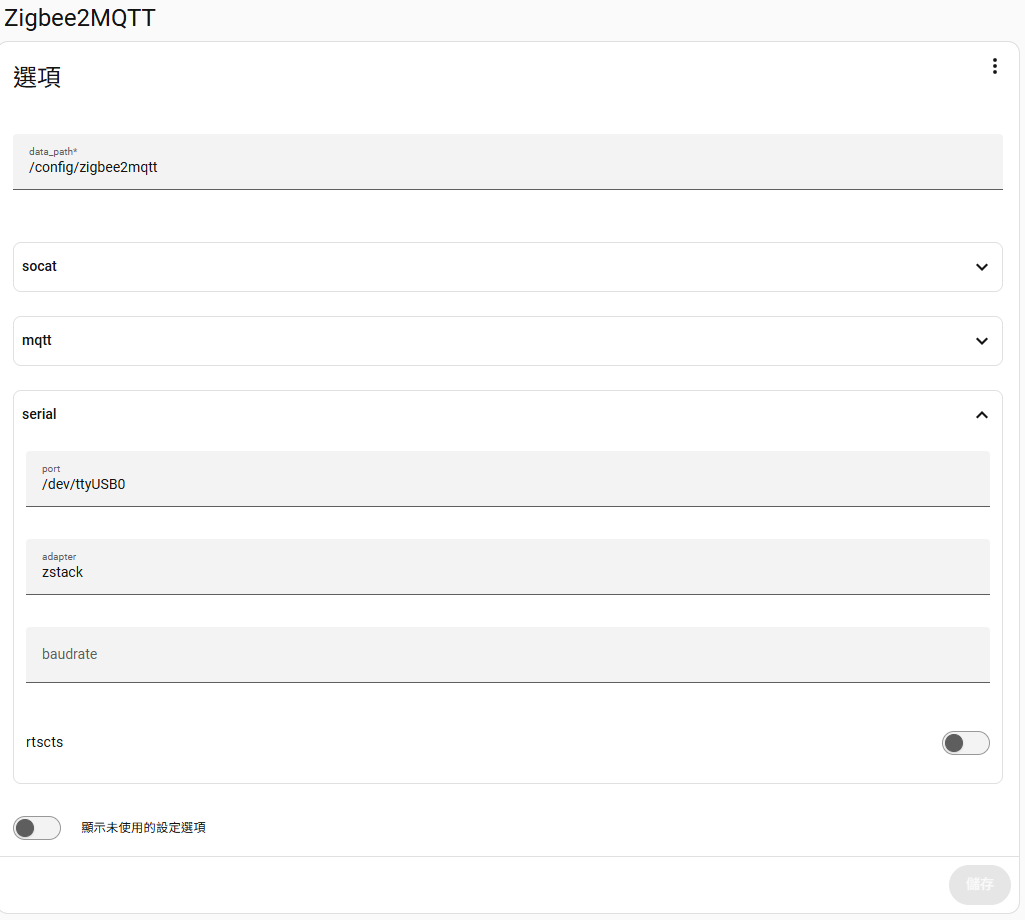
#### <span style="color: rgb(0, 0, 0);">**設定Zigbee2MQTT**</span>

<span style="color: rgb(0, 0, 0);">**我是使用USB Zigbee裝置，所以在serial的port填入USB裝置的路徑，adapter大部分填zstack就可以**</span>

[![image.png](https://note.homesitetw.com/uploads/images/gallery/2026-10/scaled-1680-/DTkimage.png)](https://note.homesitetw.com/uploads/images/gallery/2026-10/DTkimage.png)

<span style="color: rgb(0, 0, 0);">**可以在系統硬體找到你的USB路徑**</span>

[![image.png](https://note.homesitetw.com/uploads/images/gallery/2026-10/scaled-1680-/1xIimage.png)](https://note.homesitetw.com/uploads/images/gallery/2026-10/1xIimage.png)

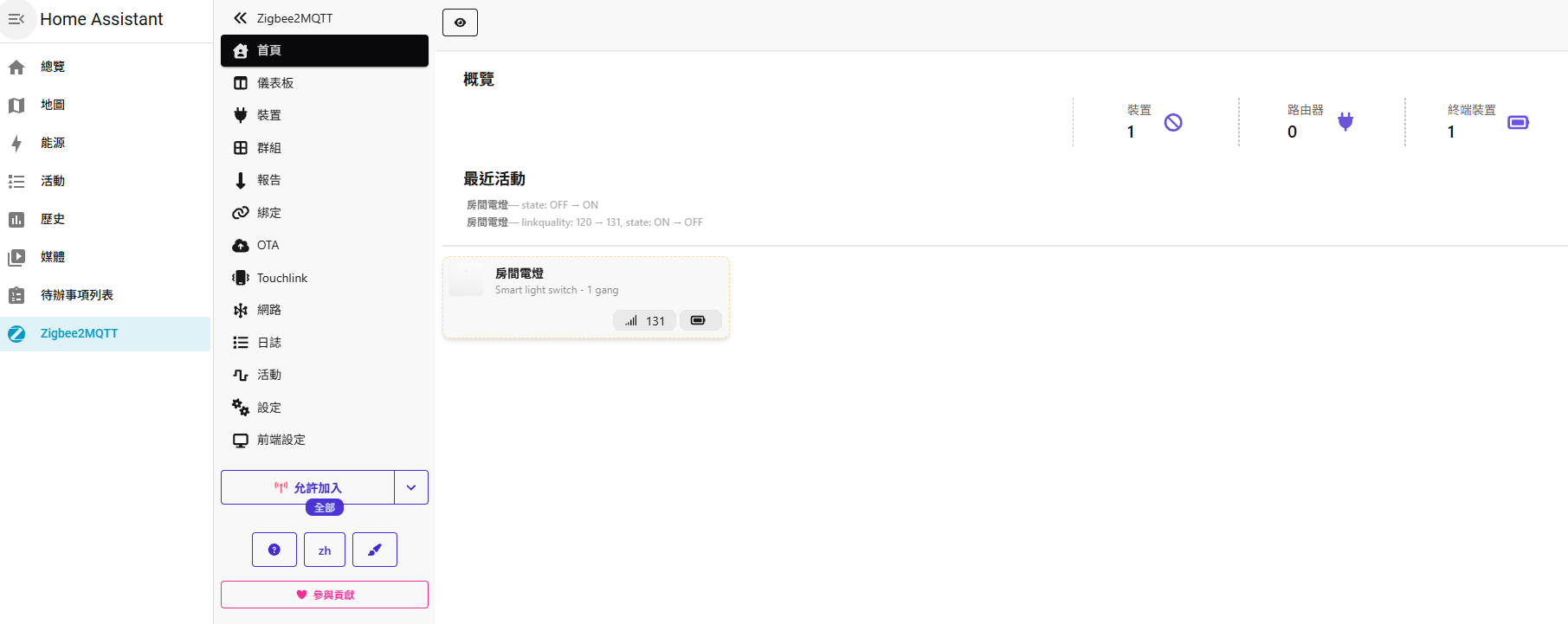
<span style="color: rgb(0, 0, 0);">**啟動後即可加入你的Zigbee裝置**</span>

[![image.png](https://note.homesitetw.com/uploads/images/gallery/2026-10/scaled-1680-/UKHimage.png)](https://note.homesitetw.com/uploads/images/gallery/2026-10/UKHimage.png)