# OpenWrt 安裝NUT (Network UPS Tools)監控UPS
#### **安裝nut-upsmon**
**搜尋`nut-upsmon`和`luci-app-nut`安裝**
[](https://note.homesitetw.com/uploads/images/gallery/2026-11/JDfimage.png)
[](https://note.homesitetw.com/uploads/images/gallery/2026-11/C4Simage.png)
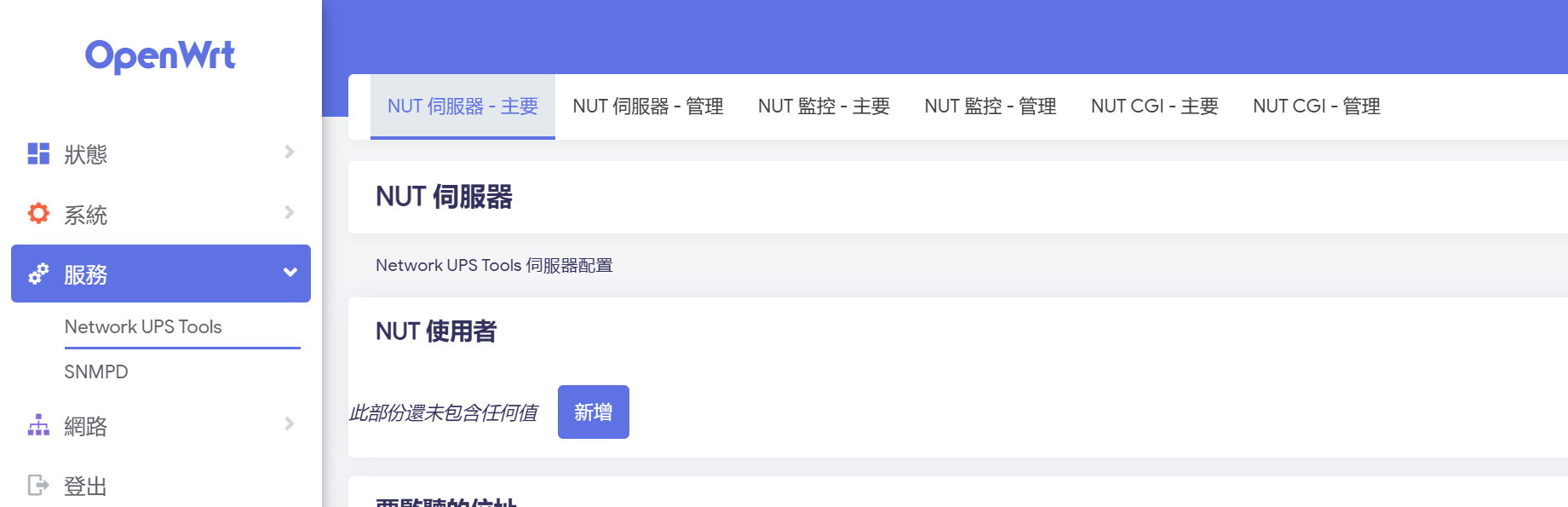
**重新登入網頁會顯示NUT設定側欄**
[](https://note.homesitetw.com/uploads/images/gallery/2026-11/HCmimage.png)
#### **設定NUT監控**
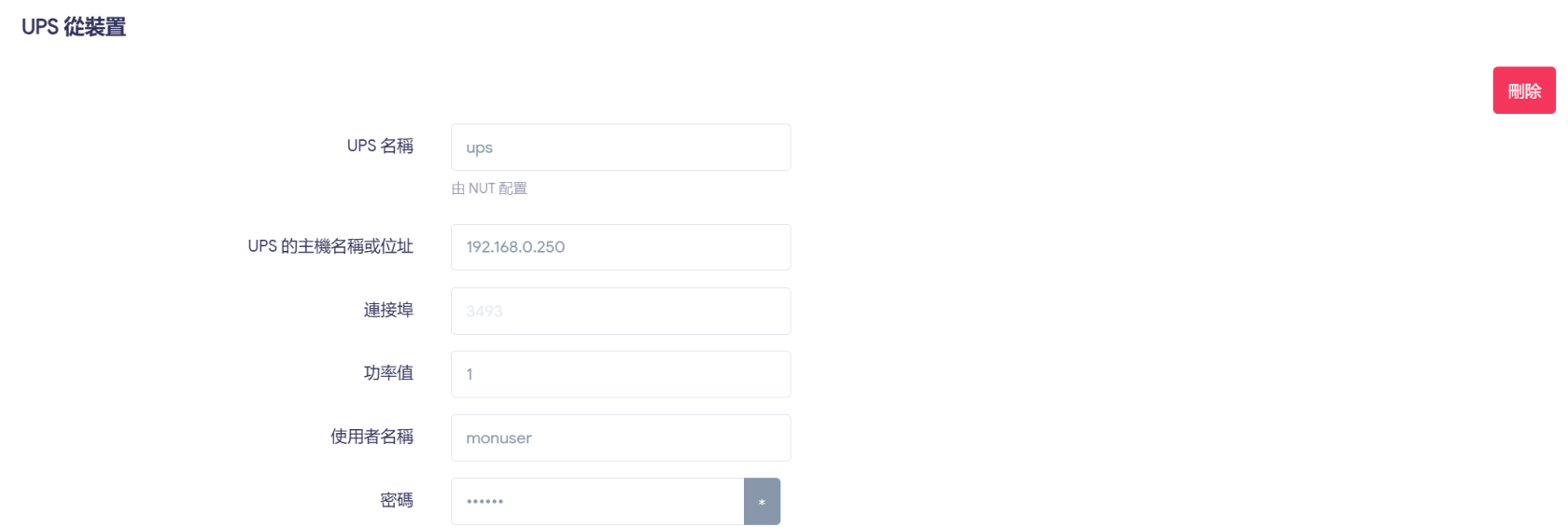
**我的UPS server在Synology上,所以設定UPS 從裝置**
[](https://note.homesitetw.com/uploads/images/gallery/2026-11/luuimage.png)
**CLI確認可以讀取UPS並啟用**
```
root@OpenWrt:~# upsc ups@192.168.0.250
battery.charge: 100
battery.charge.low: 10
battery.charge.warning: 50
battery.date: 2001/09/25
battery.mfr.date: 2023/08/10
battery.runtime: 2324
battery.runtime.low: 120
battery.type: PbAc
```
```
/etc/init.d/nut-monitor enable
/etc/init.d/nut-monitor start
```
#### **監控設定**
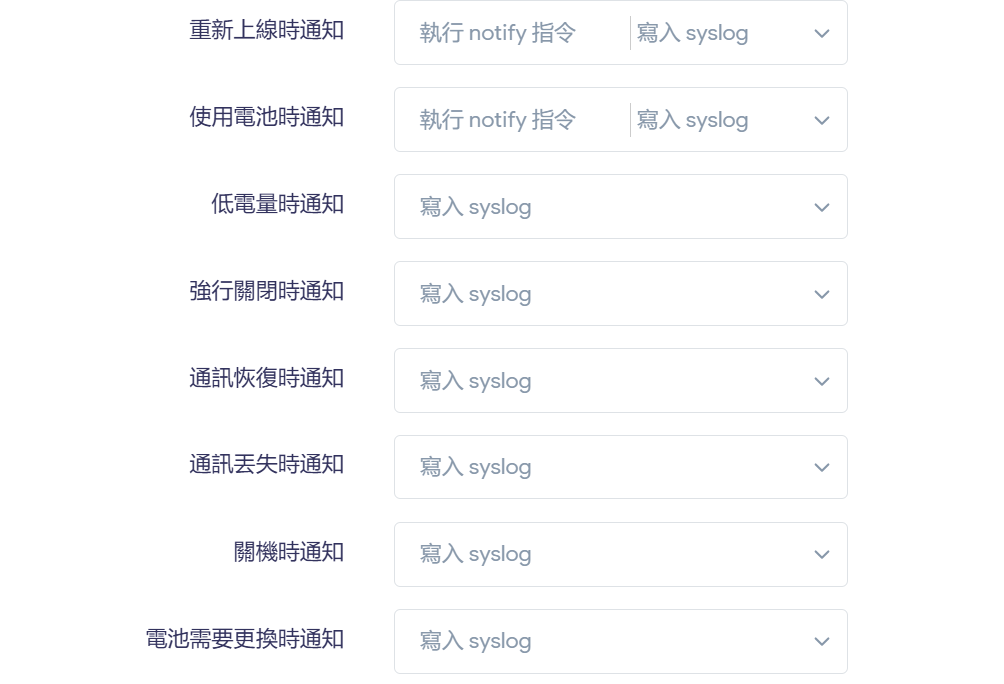
**我將所有通知寫入syslog,另外切換到電池和恢復市電會另外執行指令**
[](https://note.homesitetw.com/uploads/images/gallery/2026-11/aHOimage.png)
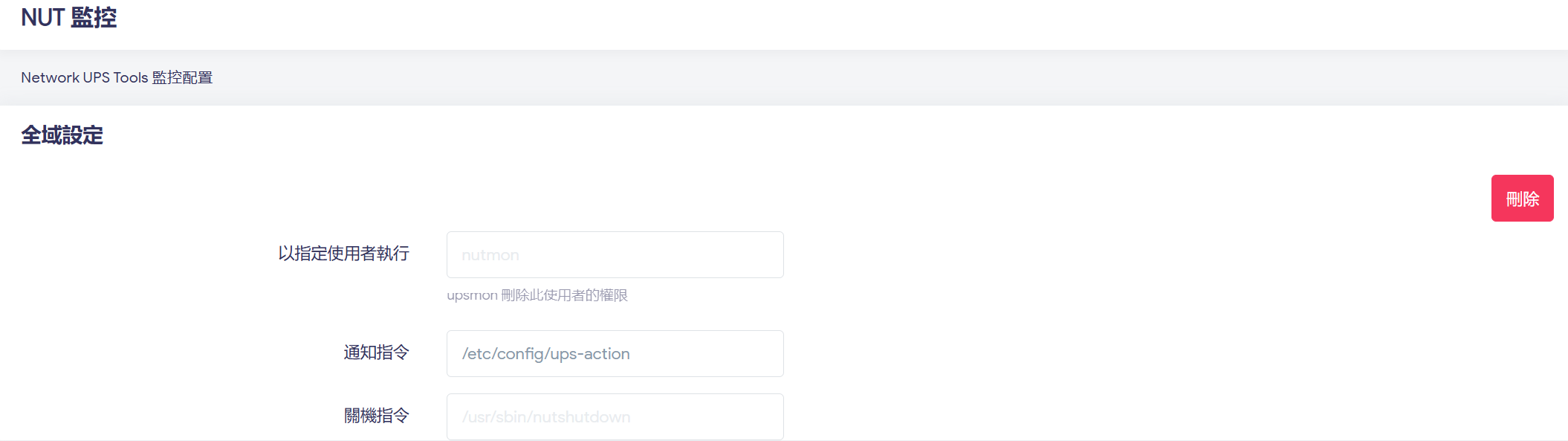
**執行指令的部分自行建立`/etc/config/ups-action`執行**
**而關機指令則維持系統預設**
[](https://note.homesitetw.com/uploads/images/gallery/2026-11/FNwimage.png)
**建立`/etc/config/ups-action`**
```
#!/bin/sh
EVENT="$1"
TIMESTAMP=$(date "+%Y-%m-%d %H:%M:%S")
LOCK_FILE="/var/run/onbatt_countdown.pid"
case "$EVENT" in
ONBATT)
logger -t nut-action "AC Power outage, on battery"
(
echo $$ > "$LOCK_FILE"
sleep 120
if [ -f "$LOCK_FILE" ]; then
NOW=$(date "+%Y-%m-%d %H:%M:%S")
logger -t nut-action -p authpriv.warn "AC Power not restored after 120s, shutdown system."
echo "[$NOW] ONBATT confirmed after 120s wait." >> /tmp/ups_events.log
rm -f "$LOCK_FILE"
/sbin/poweroff
fi
) &
;;
ONLINE)
logger -t nut-action "AC Power restored"
if [ -f "$LOCK_FILE" ]; then
PID=$(cat "$LOCK_FILE")
rm -f "$LOCK_FILE"
kill -9 "$PID" 2>/dev/null
fi
;;
*)
logger -t nut-action "[NUT EVENT] $TIMESTAMP - Event $EVENT triggered."
;;
esac
exit 0
```
**腳本行為**
****`ONBATT` 觸發**:印出日誌、記錄背景子程序 PID,並進行 120 秒非阻塞倒數。**
****`ONLINE` 中途恢復**:精準依據 PID 砍掉背景倒數程序並清理 PID 檔,順利取消關機。**
****120 秒超時**:確認 PID 檔依然存在,寫入確認 Log 後直接呼叫 `/sbin/poweroff` 執行安全關機。**
```
chmod +x /etc/config/ups-action
```