# OpenWrt 安裝 SQM QoS

#### <span style="color: rgb(0, 0, 0);">**安裝 SQM QoS**</span>

<span style="color: rgb(0, 0, 0);">**搜尋`luci-app-sqm`安裝**</span>

[![image.png](https://note.homesitetw.com/uploads/images/gallery/2026-10/scaled-1680-/xabimage.png)](https://note.homesitetw.com/uploads/images/gallery/2026-10/xabimage.png)

#### <span style="color: rgb(0, 0, 0);">**設定**</span>

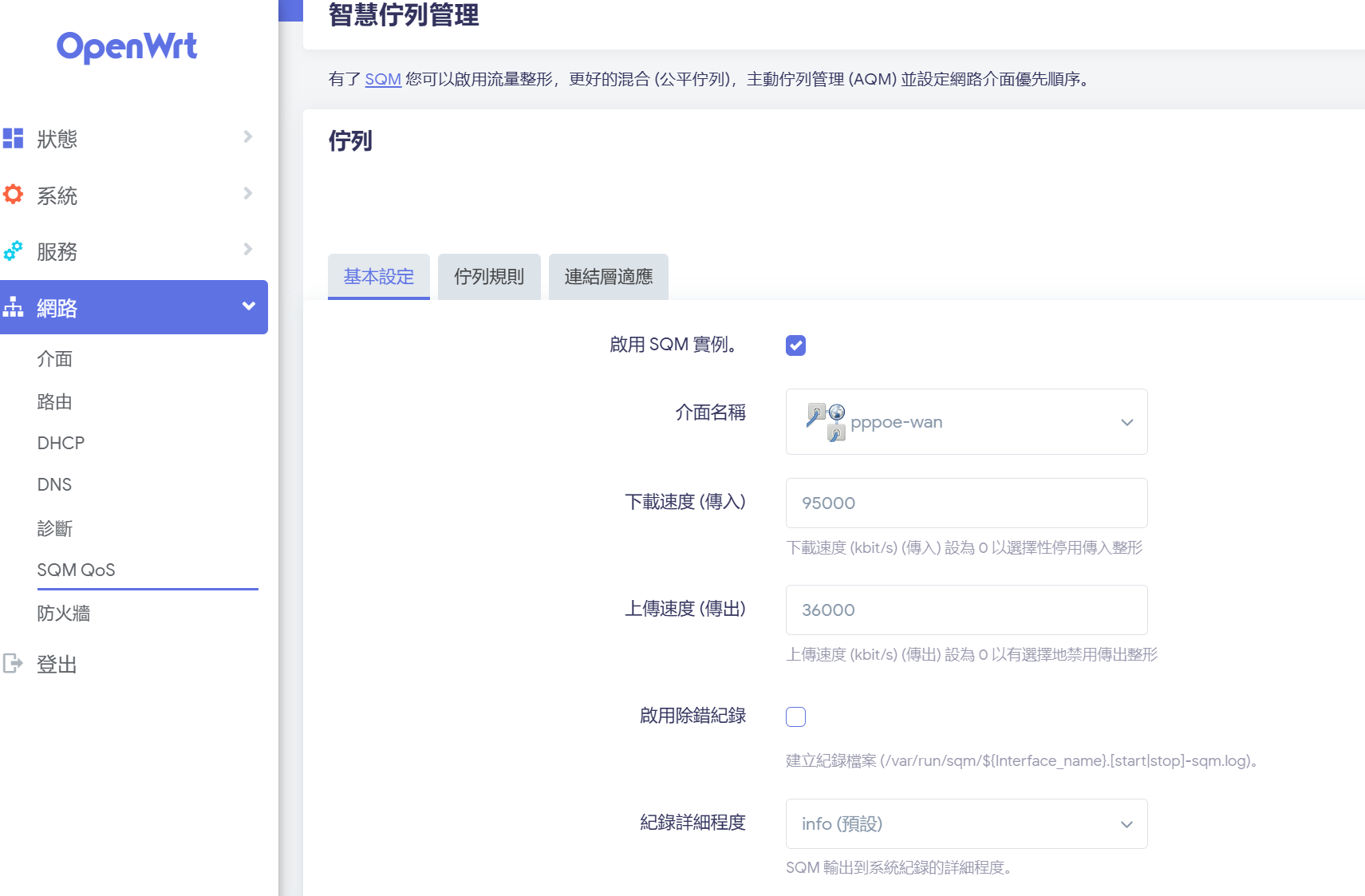
<span style="color: rgb(0, 0, 0);">**頻寬100M/40M,這裡設定限頻下載95M/上傳36M，使用預設CAKE 演算法就可以**</span>

[![image.png](https://note.homesitetw.com/uploads/images/gallery/2026-10/scaled-1680-/aZaimage.png)](https://note.homesitetw.com/uploads/images/gallery/2026-10/aZaimage.png)

[![image.png](https://note.homesitetw.com/uploads/images/gallery/2026-10/scaled-1680-/hw2image.png)](https://note.homesitetw.com/uploads/images/gallery/2026-10/hw2image.png)

<span style="color: rgb(0, 0, 0);">**使用測速網站確認成功限頻**</span>