
K3s 架設 + 部屬Rancher
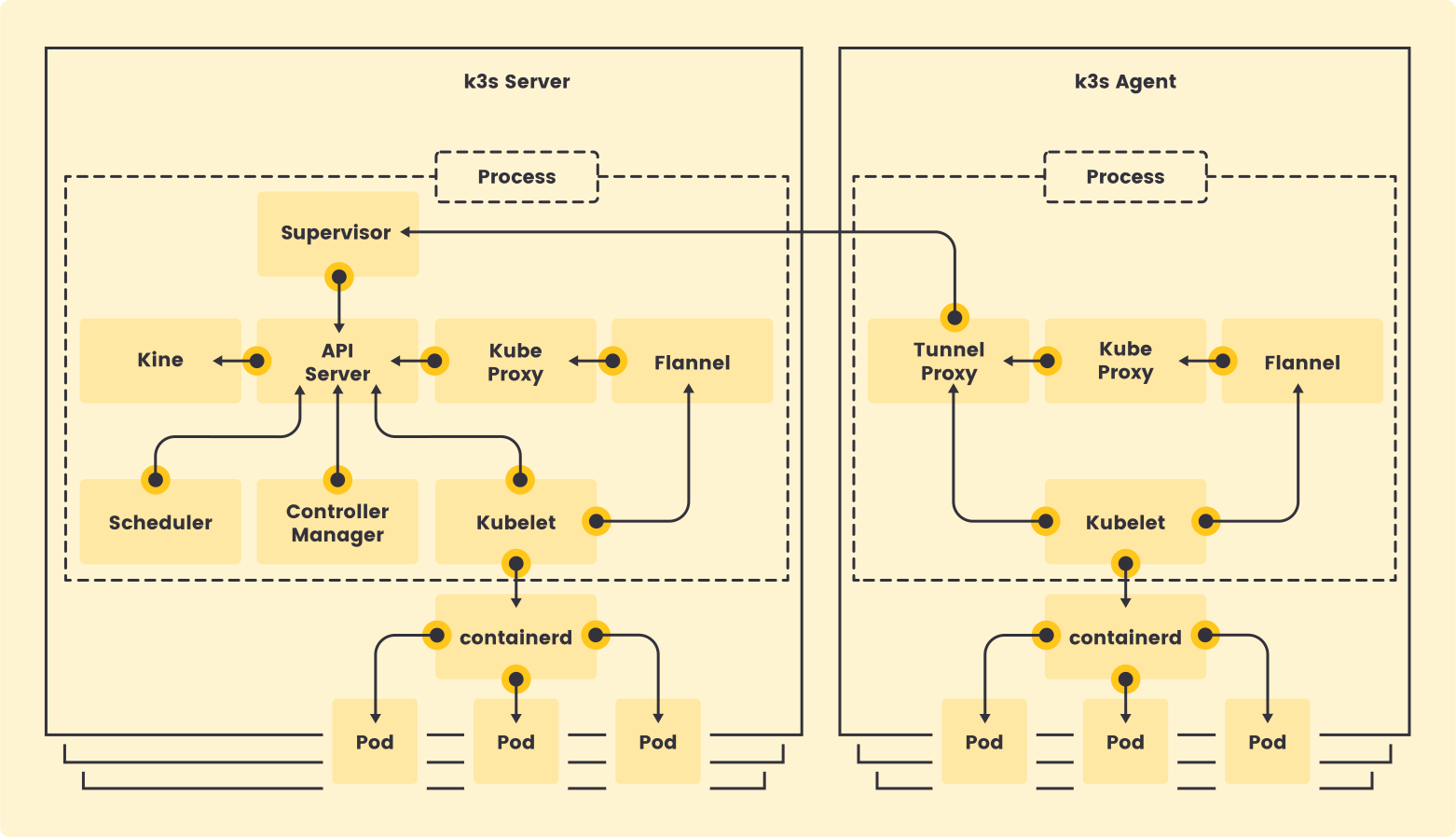
K3s 是一個輕量級的 Kubernetes 發行版,由 Rancher Labs 開源和維護,它最大的特點是極度簡化和資源占用少。
運行環境
本次使用LXC Debian 12 安裝K3s,建立LXC並取消勾選無特權容器
編輯/etc/pve/lxc/<lxc-id>.conf,底下加入所需權限後啟動LXC
lxc.apparmor.profile: unconfined
lxc.cgroup.devices.allow: a
lxc.cap.drop:
lxc.mount.auto: "proc:rw sys:rw"K3s需要/dev/kmsg,需再LXC內建立
cat <<EOF > /etc/rc.local
#!/bin/sh -e

if [ !  -e /dev/kmsg ]; then
    ln -s /dev/console /dev/kmsg
fi
mount --make-rshared /
EOF
chmod +x /etc/rc.local
reboot有些發行版未啟用rc.local需自行建立
安裝K3s
安裝所需套件
apt install -y curl iptables openssh-server git使用官方腳本安裝
curl -sfL https://get.k3s.io | sh -root@k3s:~# curl -sfL https://get.k3s.io | sh -
[INFO] Finding release for channel stable
[INFO] Using v1.33.6+k3s1 as release
[INFO] Downloading hash https://github.com/k3s-io/k3s/releases/download/v1.33.6+k3s1/sha256sum-amd64.txt
[INFO] Downloading binary https://github.com/k3s-io/k3s/releases/download/v1.33.6+k3s1/k3s
[INFO] Verifying binary download
[INFO] Installing k3s to /usr/local/bin/k3s
[INFO] Skipping installation of SELinux RPM
[INFO] Creating /usr/local/bin/kubectl symlink to k3s
[INFO] Creating /usr/local/bin/crictl symlink to k3s
[INFO] Creating /usr/local/bin/ctr symlink to k3s
[INFO] Creating killall script /usr/local/bin/k3s-killall.sh
[INFO] Creating uninstall script /usr/local/bin/k3s-uninstall.sh
[INFO] env: Creating environment file /etc/systemd/system/k3s.service.env
[INFO] systemd: Creating service file /etc/systemd/system/k3s.service
[INFO] systemd: Enabling k3s unit
Created symlink /etc/systemd/system/multi-user.target.wants/k3s.service -> /etc/systemd/system/k3s.service.
[INFO] systemd: Starting k3s檢查狀態
root@k3s:~# systemctl status k3s
* k3s.service - Lightweight Kubernetes
     Loaded: loaded (/etc/systemd/system/k3s.service; enabled; preset: enabled)
     Active: active (running) since Wed 2025-11-26 12:36:28 UTC; 1min 20s ago
       Docs: https://k3s.io
    Process: 1405 ExecStartPre=/sbin/modprobe br_netfilter (code=exited, status=1/FAILURE)
    Process: 1406 ExecStartPre=/sbin/modprobe overlay (code=exited, status=1/FAILURE)
   Main PID: 1407 (k3s-server)
      Tasks: 87
     Memory: 1.5G
        CPU: 1min 21.016s
     CGroup: /system.slice/k3s.service
             |-1407 "/usr/local/bin/k3s server"
確認pod和節點狀態
root@k3s:~# kubectl get po -A
NAMESPACE     NAME                                      READY   STATUS      RESTARTS   AGE
kube-system   coredns-6d668d687-6lsqc                   1/1     Running     0          5m28s
kube-system   helm-install-traefik-crd-z52b6            0/1     Completed   0          5m29s
kube-system   helm-install-traefik-hlr6m                0/1     Completed   1          5m29s
kube-system   local-path-provisioner-869c44bfbd-72lvm   1/1     Running     0          5m28s
kube-system   metrics-server-7bfffcd44-w4nkl            1/1     Running     0          5m28s
kube-system   svclb-traefik-bd95e7b9-bd7z4              2/2     Running     0          4m40s
kube-system   traefik-865bd56545-6q8z9                  1/1     Running     0          4m40s
root@k3s:~# kubectl get nodes
NAME STATUS ROLES AGE VERSION
k3s Ready control-plane,master 6m44s v1.33.6+k3s1
安裝 Helm
curl https://raw.githubusercontent.com/helm/helm/main/scripts/get-helm-4 | bash指定helm使用K3s的kubeconfig
export KUBECONFIG=/etc/rancher/k3s/k3s.yaml
安裝 Rancher
加入Cert-Manager 和 Rancher的Chart Repository
helm repo add jetstack https://charts.jetstack.iohelm repo add rancher-stable https://releases.rancher.com/server-charts/stablehelm repo update安裝Cert-Manager
helm install cert-manager jetstack/cert-manager --namespace cert-manager --create-namespace --version v1.13.1
No comments to display
No comments to display