
Linux Looking Glass IP網頁檢測
運行環境
- Debian 12
- PHP 8
下載Looking Glass
使用hybula修改版本,建議使用PHP 8
NGINX範例
server {
	listen 80;
	listen [::]:80;

	server_name _;

	root /var/www/html/lookingglass/;
	index index.php ;
	location / {
		try_files $uri $uri/ =404;
	}

    location ~ \.php$ {
		include snippets/fastcgi-php.conf;
        fastcgi_pass unix:/var/run/php/php8.2-fpm.sock;
    }
}將config.dist.php改成config.php
ping 需要特殊權限,www-data 無法執行,須將/bin/ping開放權限
此命令會讓所有使用者有ping root權限,建議使用visudo
chmod u+s /bin/ping使用visudo 允許www-data執行ping
visudo

#最下面加入
www-data ALL=(ALL) NOPASSWD: /bin/ping
測試www-data是否可ping
user@test:~# sudo -u www-data ping 1.1.1.1
ping: socktype: SOCK_RAW
ping: socket: Operation not permitted
ping: => missing cap_net_raw+p capability or setuid?


user@test:~# sudo -u www-data sudo ping 1.1.1.1
PING 1.1.1.1 (1.1.1.1) 56(84) bytes of data.
64 bytes from 1.1.1.1: icmp_seq=1 ttl=55 time=12.7 ms
64 bytes from 1.1.1.1: icmp_seq=2 ttl=55 time=13.3 ms
64 bytes from 1.1.1.1: icmp_seq=3 ttl=55 time=13.7 ms
^C
--- 1.1.1.1 ping statistics ---
3 packets transmitted, 3 received, 0% packet loss, time 2003ms
rtt min/avg/max/mdev = 12.700/13.254/13.747/0.429 ms若有cap_net_raw+p問題,修改LookingGlass.php
return self::procExecute('ping -4 -c'.$count.' -w15', $host);
改成
return self::procExecute('sudo ping -4 -c'.$count.' -w15', $host);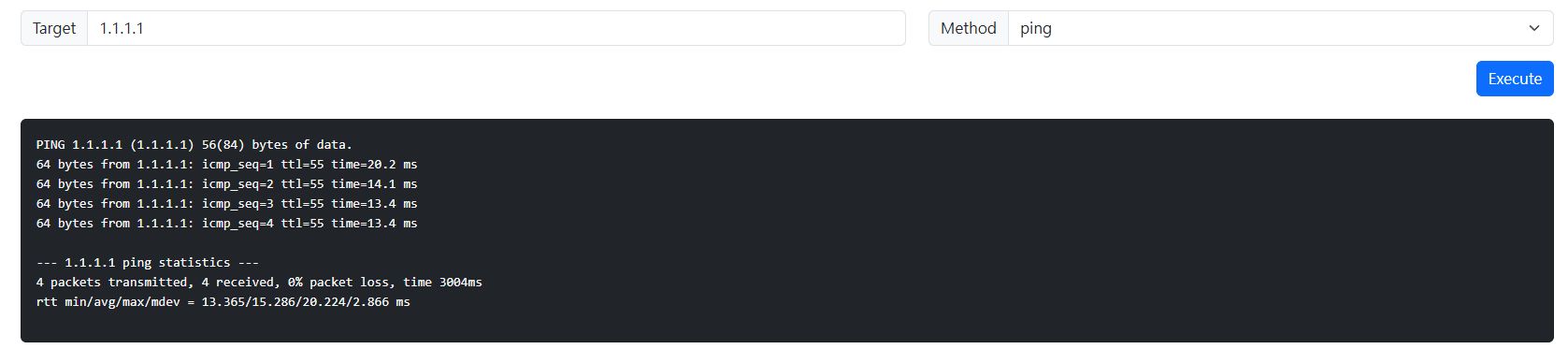
No comments to display
No comments to display