
OpenVPN Server 使用帳號密碼驗證登入
Server 設定
編輯設定檔/etc/openvpn/server/server.conf
client-cert-not-required
auth-user-pass-verify /etc/openvpn/checkpsw.sh via-env
username-as-common-name
script-security 3
client-cert-not-required 不使用證書認證
auth-user-pass-verify /etc/openvpn/checkpsw.sh via-env 使用驗證腳本
username-as-common-name 使用帳密認證
script-security 3 安全級別建立驗證腳本/etc/openvpn/checkpsw.sh
#!/bin/sh
###########################################################
# checkpsw.sh (C) 2004 Mathias Sundman <mathias@openvpn.se>
#
# This script will authenticate OpenVPN users against
# a plain text file. The passfile should simply contain
# one row per user with the username first followed by
# one or more space(s) or tab(s) and then the password.
PASSFILE="/etc/openvpn/psw-file"
LOG_FILE="/var/log/openvpn/openvpn-password.log"
TIME_STAMP=`date "+%Y-%m-%d %T"`
###########################################################
if [ ! -r "${PASSFILE}" ]; then
  echo "${TIME_STAMP}: Could not open password file \"${PASSFILE}\" for reading." >> ${LOG_FILE}
  exit 1
fi
CORRECT_PASSWORD=`awk '!/^;/&&!/^#/&&$1=="'${username}'"{print $2;exit}' ${PASSFILE}`
if [ "${CORRECT_PASSWORD}" = "" ]; then
  echo "${TIME_STAMP}: User does not exist: username=\"${username}\", password=\"${password}\"." >> ${LOG_FILE}
  exit 1
fi
if [ "${password}" = "${CORRECT_PASSWORD}" ]; then
  echo "${TIME_STAMP}: Successful authentication: username=\"${username}\"." >> ${LOG_FILE}
  exit 0
fi
echo "${TIME_STAMP}: Incorrect password: username=\"${username}\", password=\"${password}\"." >> ${LOG_FILE}
exit 1
chmod +x /etc/openvpn/checkpsw.sh帳號密碼管理清單/etc/openvpn/psw-file
user1 pswd1
user2 pswd2
chmod 777 /etc/openvpn/psw-file
chown root.root /etc/openvpn/* -R
Client 設定
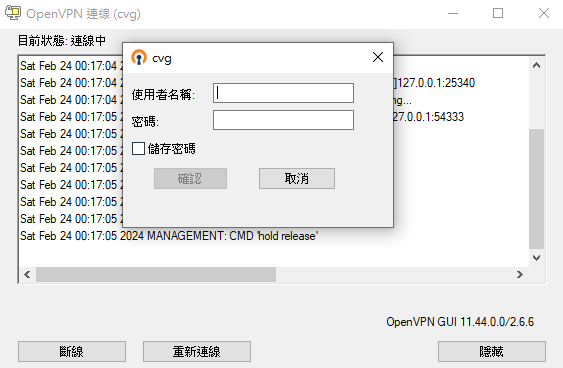
設定檔註解或移除client.crt client.key,保留ca,新增auth-user-pass
No comments to display
No comments to display