
Synology 使用2.5G網卡
安裝網卡驅動
確認網卡型號,大多都適用bb-qq作者的RTL8152/8153/8156/8157/8159套件
| 套件架構代號 | 對應 CPU 處理器平台 | 代表型號範例 |
|---|---|---|
v1000 |
AMD Ryzen V1000 / R1000 系列 | DS923+, DS723+, DS1522+, RS2423+ |
r1000 |
AMD Ryzen R1600 雙核處理器 | DS1621+, DS1821+, RS2421+ |
epyc7003 |
AMD EPYC 7003 系列企業級處理器 | SA6400, RS422+, HD6500 |
geminilake |
Intel Celeron J4125 / J4025 | DS920+, DS720+, DS220+, DS224+ |
apollolake |
Intel Celeron J3455 / J3355 | DS918+, DS718+, DS218+, DS418play |
denverton |
Intel Atom C3000 系列 | DS1618+, DS1819+, DS2419+ |
braswell |
Intel Celeron N3150 / N3050 | DS916+, DS716+, DS216+II |
avoton |
Intel Atom C2000 系列 (C2538 等) | DS1515+, DS1815+, DS415+, RS2416+ |
broadwell / broadwellnk |
Intel Xeon D-1500 系列 | DS3617xs, FS3400, FS3600 |
purley / grantley |
Intel Xeon Scalable / E5 系列 | FS6400, DS3615xs, FS3017 |
下載你的型號跟版本,在Synology 套件中心手動安裝
第一次安裝會顯示錯誤,登入Synology SSH terminal執行以下命令
sudo install -m 4755 -o root -D /var/packages/r8152/target/r8152/spk_su /opt/sbin/spk_su

sudo chmod a+rx /opt /opt/sbin
再次安裝確認成功,作者有建議重啟NAS
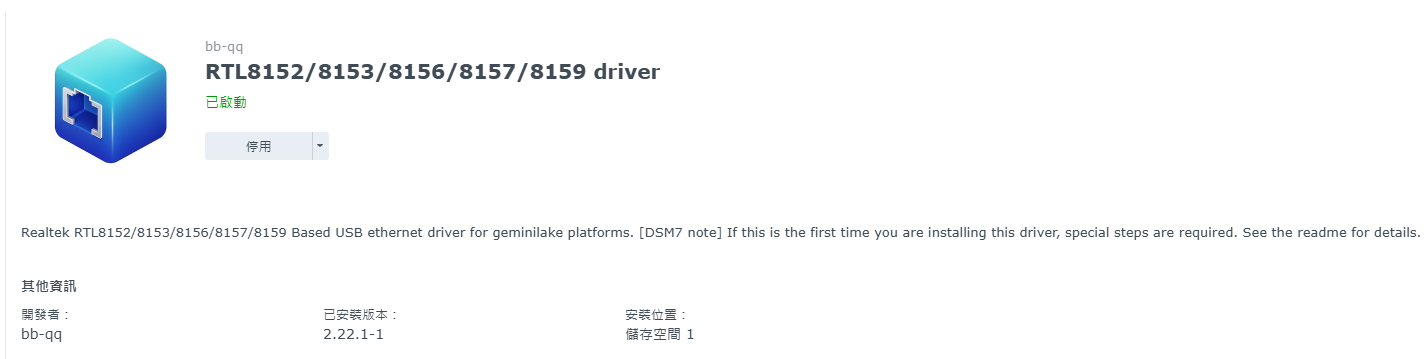
確認2.5G網卡已載入

開機啟動網卡設定
NAS重啟有可能網卡驅動不會自動啟用,可以在任務排程加入開機後執行網卡驅動重啟
事件觸發開機 使用者選root新增以下指令
sleep 30s
/usr/syno/bin/synopkg restart r8152
No comments to display
No comments to display