
Synology 使用 Docker 架設 immich相簿
immich是一套開源的相簿系統,可當作替代Google相簿,提供手機APP,並有地圖標記和人臉辨識等功能
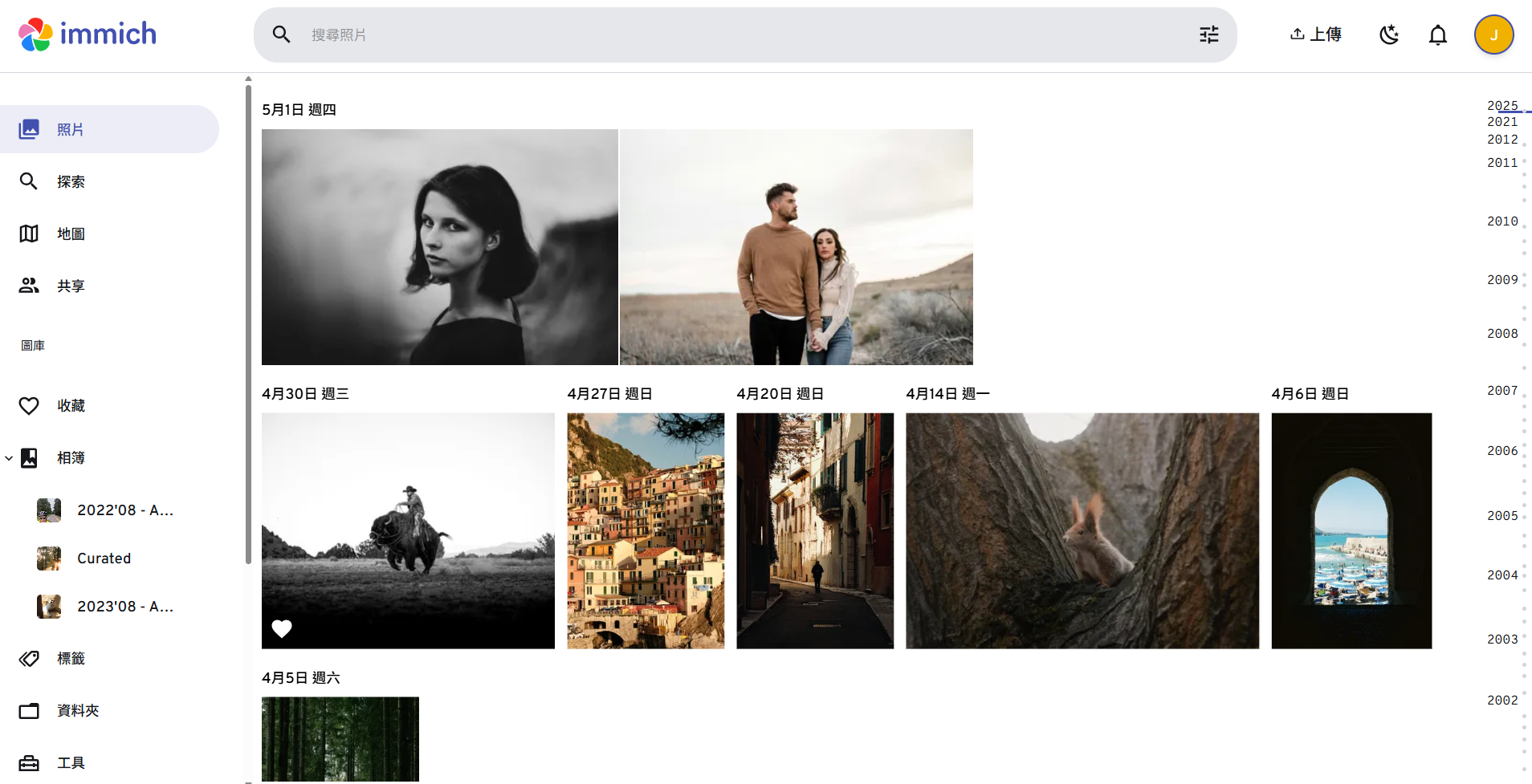
官方Demo
運行環境
- DSM 7.1
安裝immich
確認已安裝Portainer,在docker資料夾新增immich-app,裡面新增library和postgres資料夾
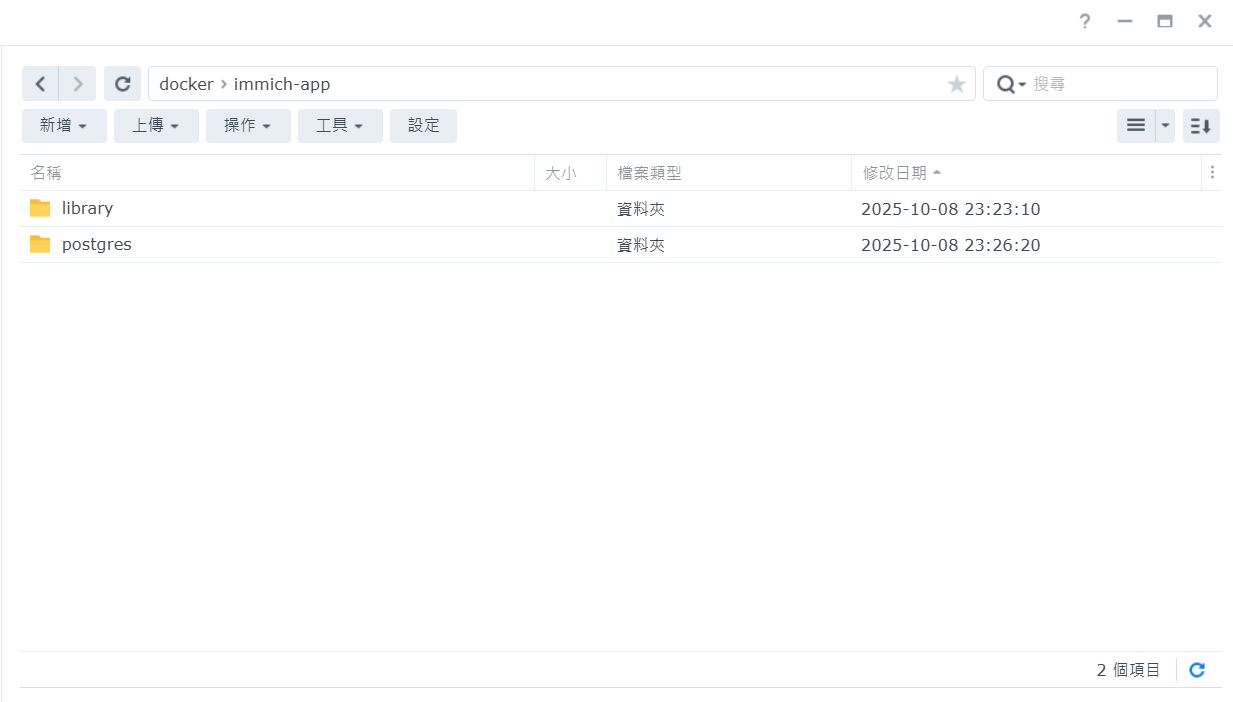
從官方下載docker-compose.yml和.env檔案
https://github.com/immich-app/immich/releases/latest/download/docker-compose.ymlhttps://github.com/immich-app/immich/releases/latest/download/example.env
修改下載的docker-compose.yml和.env檔案
編輯example.env並改名為.env
# You can find documentation for all the supported env variables at https://docs.immich.app/install/environment-variables

# The location where your uploaded files are stored
UPLOAD_LOCATION=/volume1/docker/immich-app/library

# The location where your database files are stored. Network shares are not supported for the database
DB_DATA_LOCATION=/volume1/docker/immich-app/postgres

# To set a timezone, uncomment the next line and change Etc/UTC to a TZ identifier from this list: https://en.wikipedia.org/wiki/List_of_tz_database_time_zones#List
# TZ=Asia/Taipei

# The Immich version to use. You can pin this to a specific version like "v1.71.0"
IMMICH_VERSION=release

# Connection secret for postgres. You should change it to a random password
# Please use only the characters `A-Za-z0-9`, without special characters or spaces
DB_PASSWORD=postgres

# The values below this line do not need to be changed
###################################################################################
DB_USERNAME=postgres
DB_DATABASE_NAME=immich- UPLOAD_LOCATION和DB_DATA_LOCATION為剛剛在docker 內建立的資料夾的路徑
- TZ改成Asia/Taipei
- DB_PASSWORD 密碼可自行更改
進入Portainer,新增堆棧(Stack)
將docker-compose.yml內容貼到Stack編輯器,並上傳剛剛修改的.env檔案
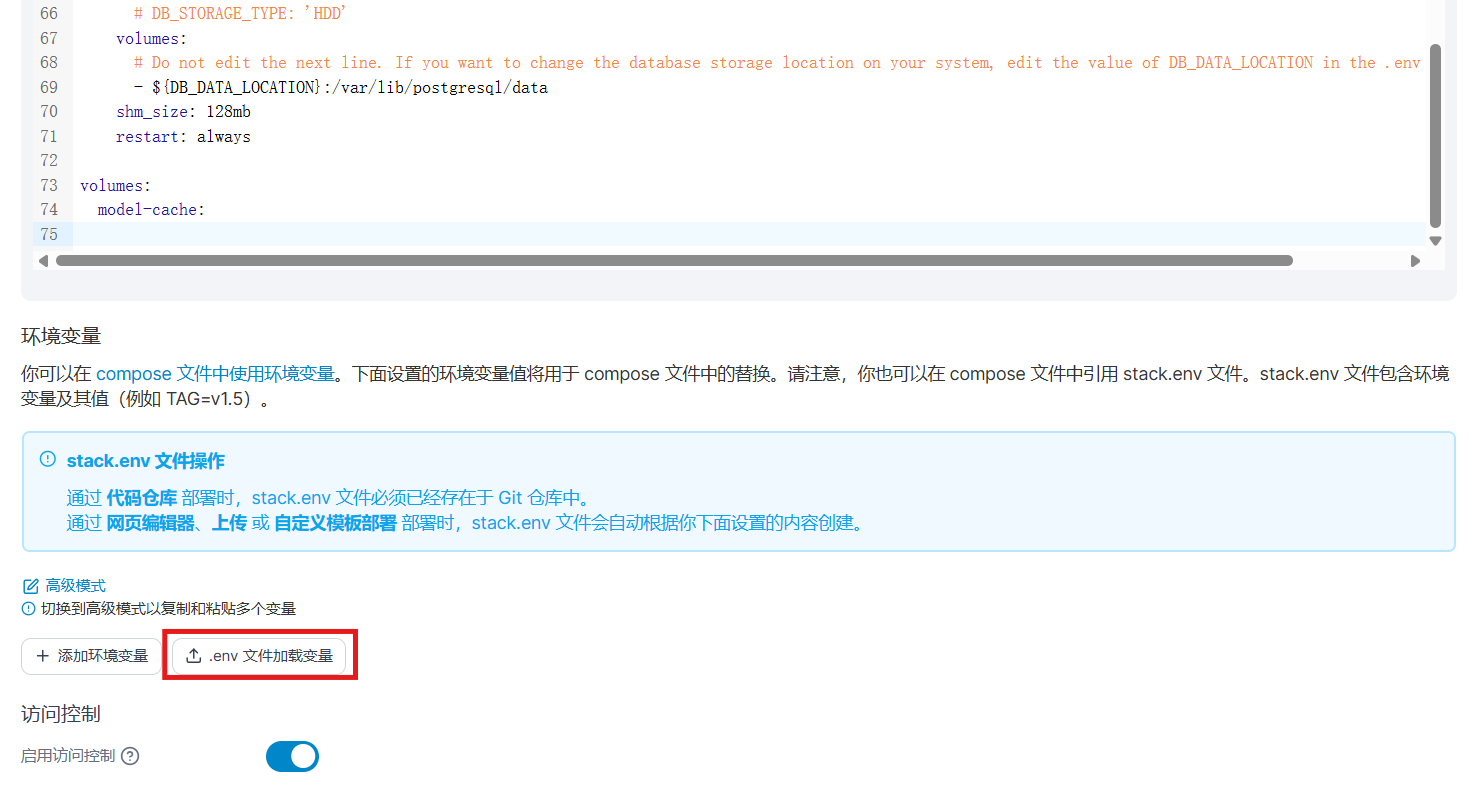
上傳後確認以下環境變量正確,並將編輯器內的- .env改成- stack.env
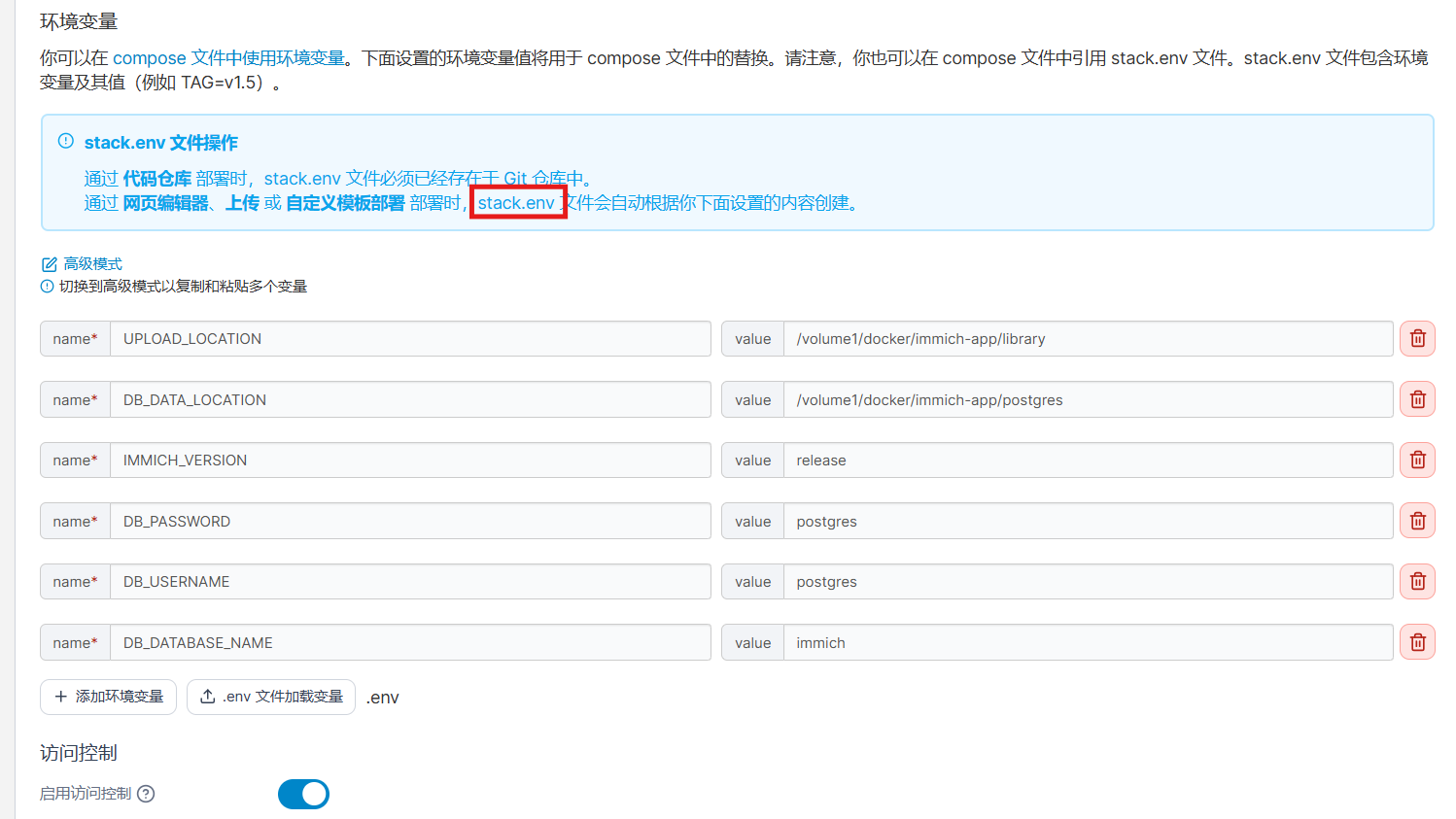
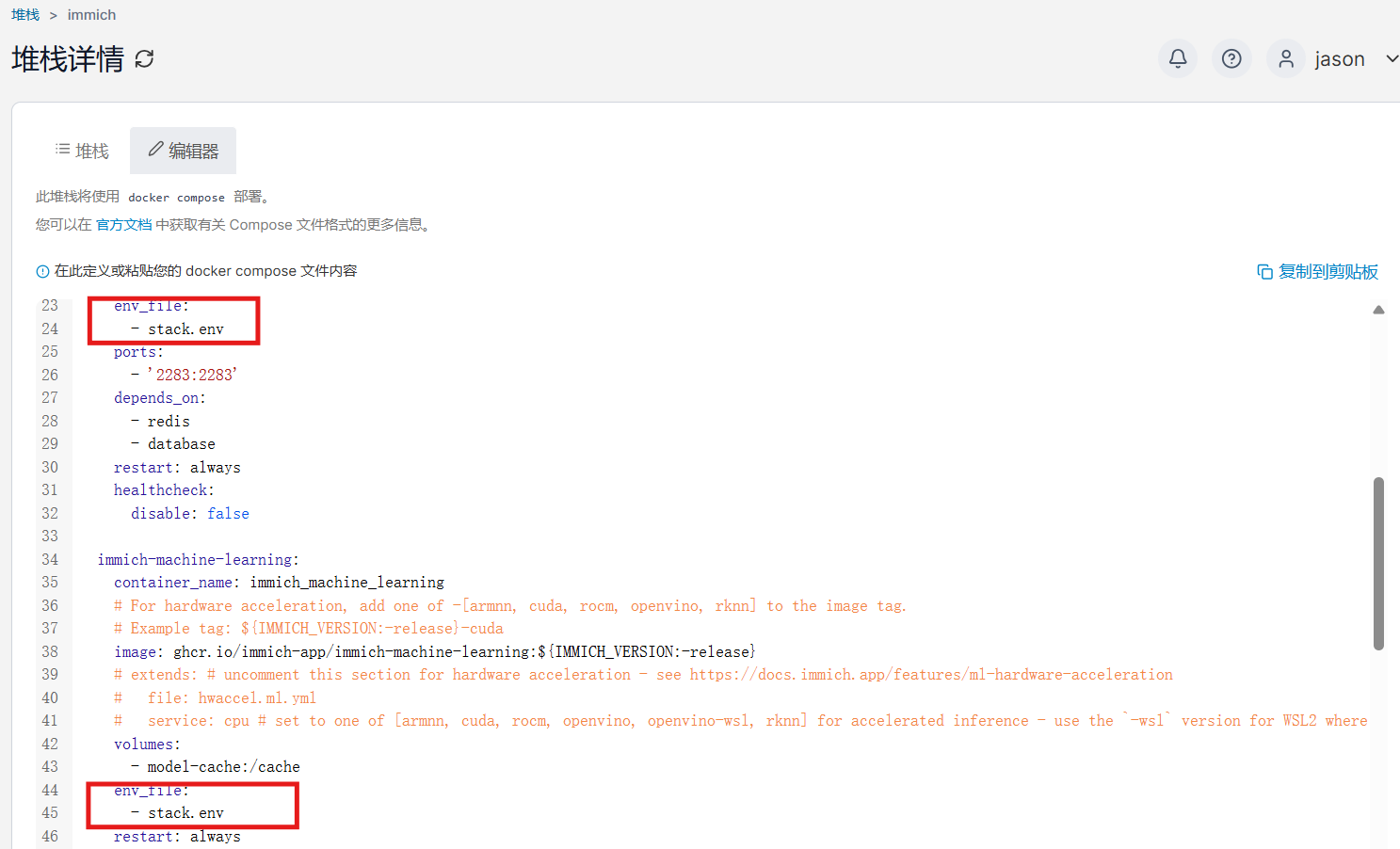
修改完成後部屬,第一次下載容器需等待一段間,所有容器成功開啟後即可登入http://192.168.0.250:2283/初始化安裝
No comments to display
No comments to display